> For the complete documentation index, see [llms.txt](https://docs.manyfast.io/llms.txt). Markdown versions of documentation pages are available by appending `.md` to page URLs; this page is available as [Markdown](https://docs.manyfast.io/en/start/group-set-up.md).
# Create & Manage Groups
Here's how to create and configure a Group — the workspace unit in Manyfast.
{% stepper %}
{% step %}
#### Create a Group
{% hint style="info" %}
Each account is limited to one free Group. A single free Group is created automatically when you sign up.
{% endhint %}
* When you first sign up, **a Group is automatically created using your username**.
* A single user **can belong to multiple Groups**.
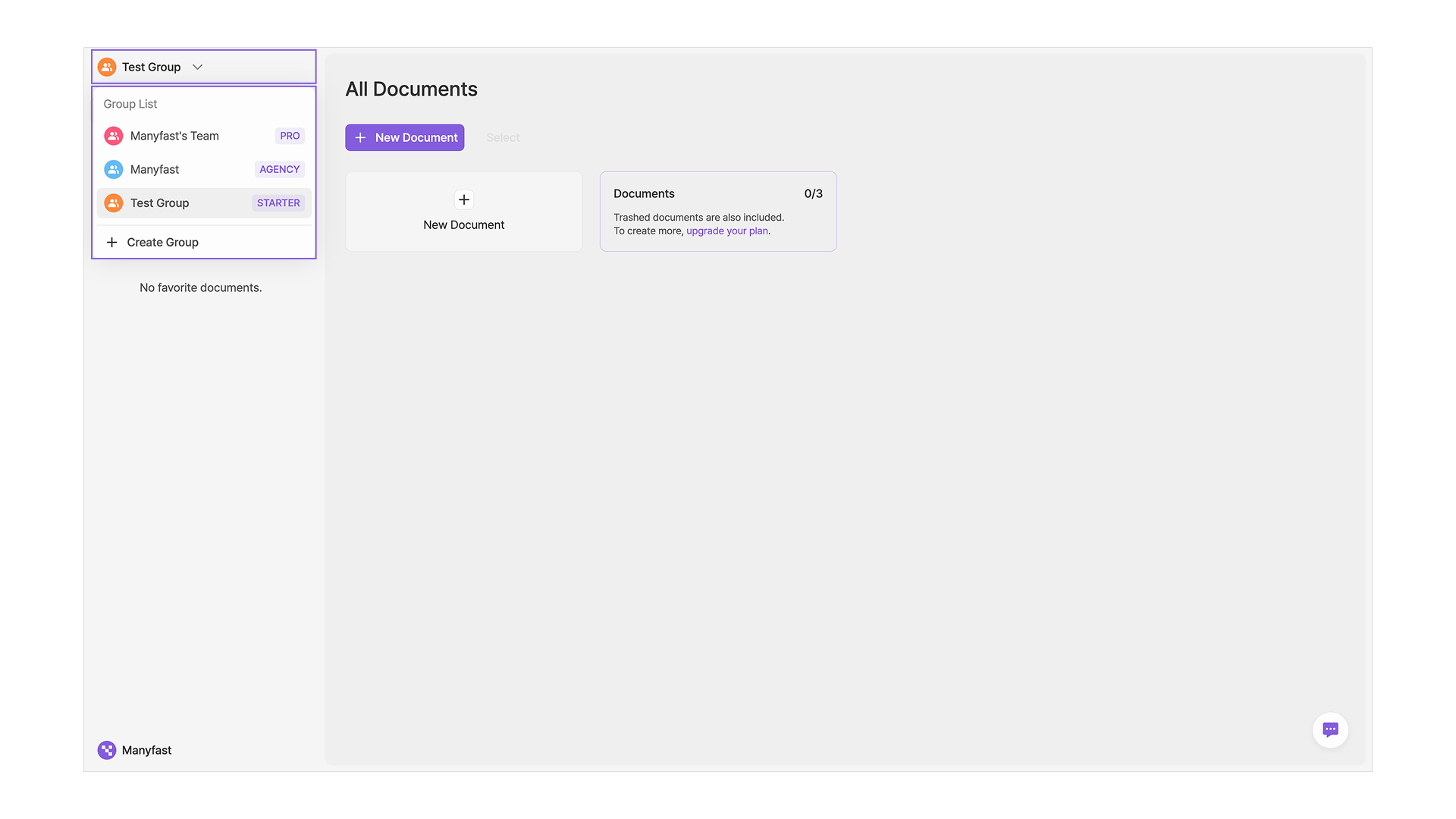
* Click the Group name at the top of the left sidebar to see the list of all Groups you belong to.
* Click any Group to switch to it.
* To create a new Group, click the **\[+ Create Group]** button at the bottom of the modal.
* In the create-Group modal, enter a **Group name** and the new Group will be created right away.
{% endstep %}
{% step %}
#### Edit a Group
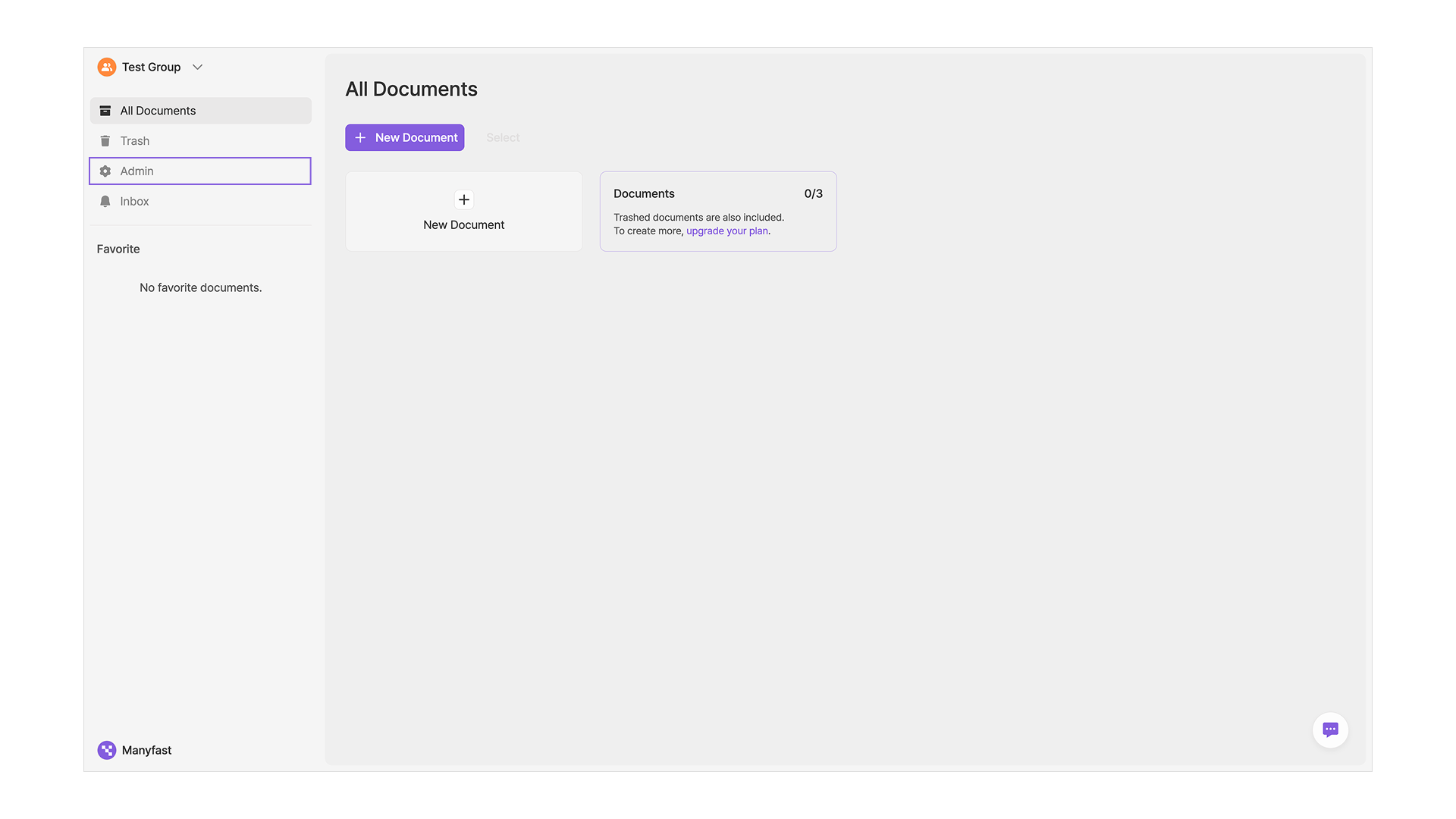
* To edit Group info, click the **Admin** menu in the left sidebar.
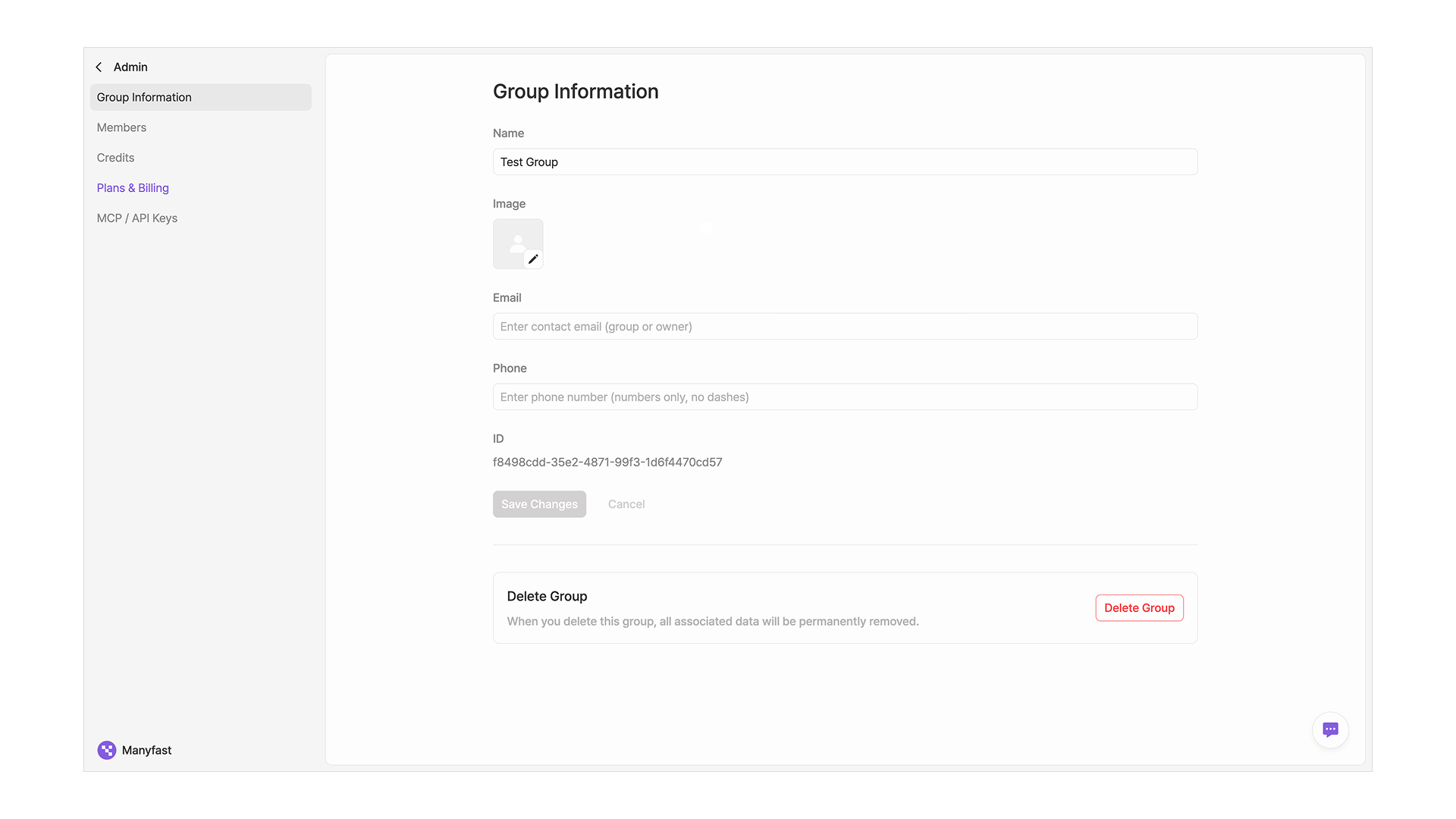
* In the **Group Information** tab, you can register or edit the Group name, Group image, email, and contact info.
* The Group ID is assigned automatically and cannot be changed.
* Only users with the **Admin** role or higher in the Group can make edits. ([See Member permissions in detail](/en/start/member.md#undefined-4))
{% endstep %}
{% step %}
#### Delete a Group
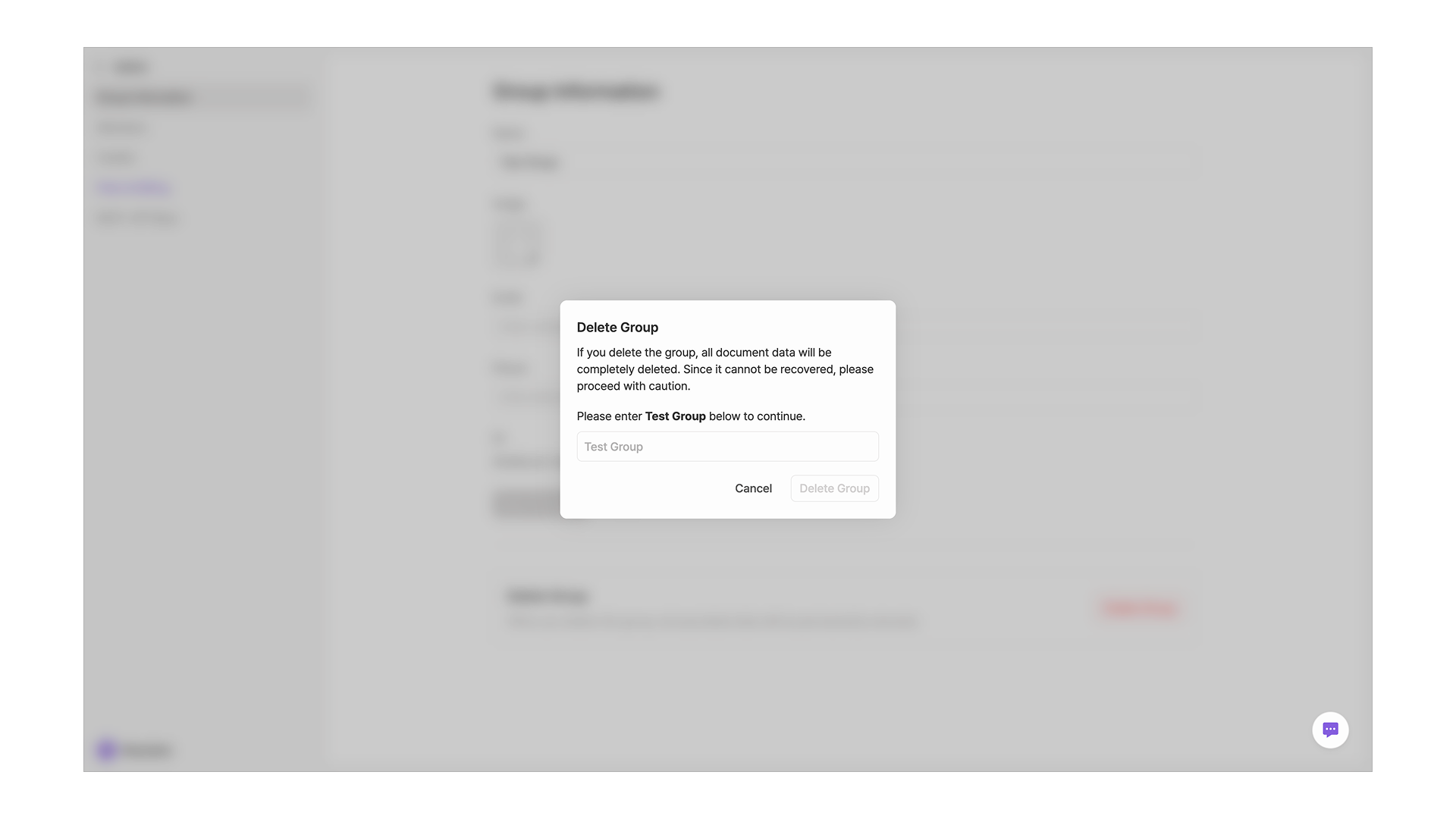
* Only the **Group Owner** can delete a Group. Click the **\[Delete Group]** button at the bottom of the Group info to delete it.
* To prevent accidental deletion, you must type the exact Group name in the popup before the delete button becomes active.
{% endstep %}
{% step %}
#### Leave a Group
* For users who are not the Group Owner, a **\[Leave Group]** button is shown instead of Delete. Use this button to remove just your own account from the Group's workspace while keeping the Group itself intact.
{% endstep %}
{% endstepper %}