> For the complete documentation index, see [llms.txt](https://docs.manyfast.io/llms.txt). Markdown versions of documentation pages are available by appending `.md` to page URLs; this page is available as [Markdown](https://docs.manyfast.io/en/start/set-up.md).
# Create Account
{% hint style="success" %}
We recommend using Manyfast on a PC with a modern browser and a stable internet connection.
{% endhint %}
This guide walks you through the basic setup to get started with Manyfast. Follow the steps below in order — from signing up to creating a Group — to complete your first-time setup.
{% stepper %}
{% step %}
#### Sign up
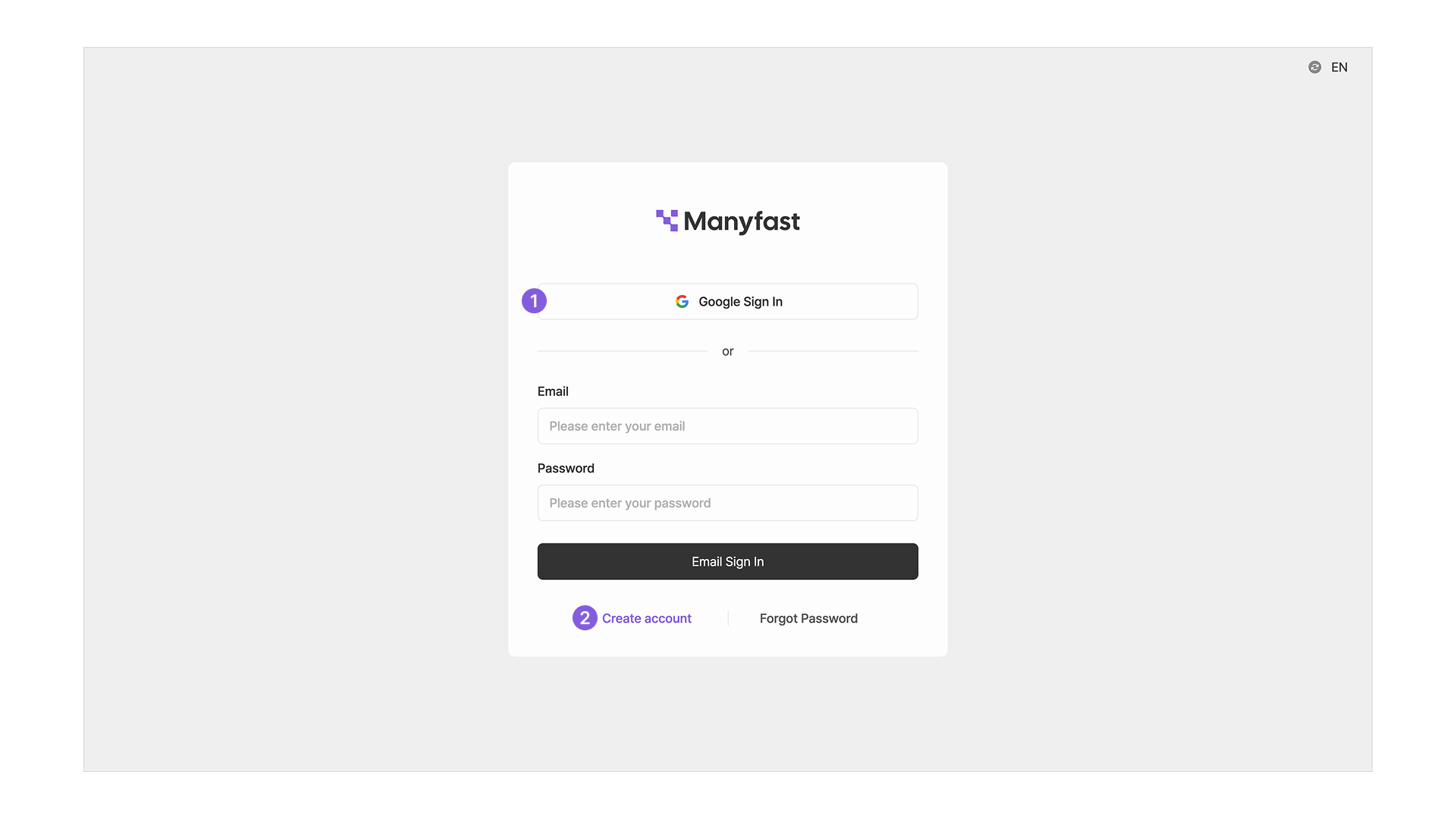
1. You can sign up quickly with a **Google account**.
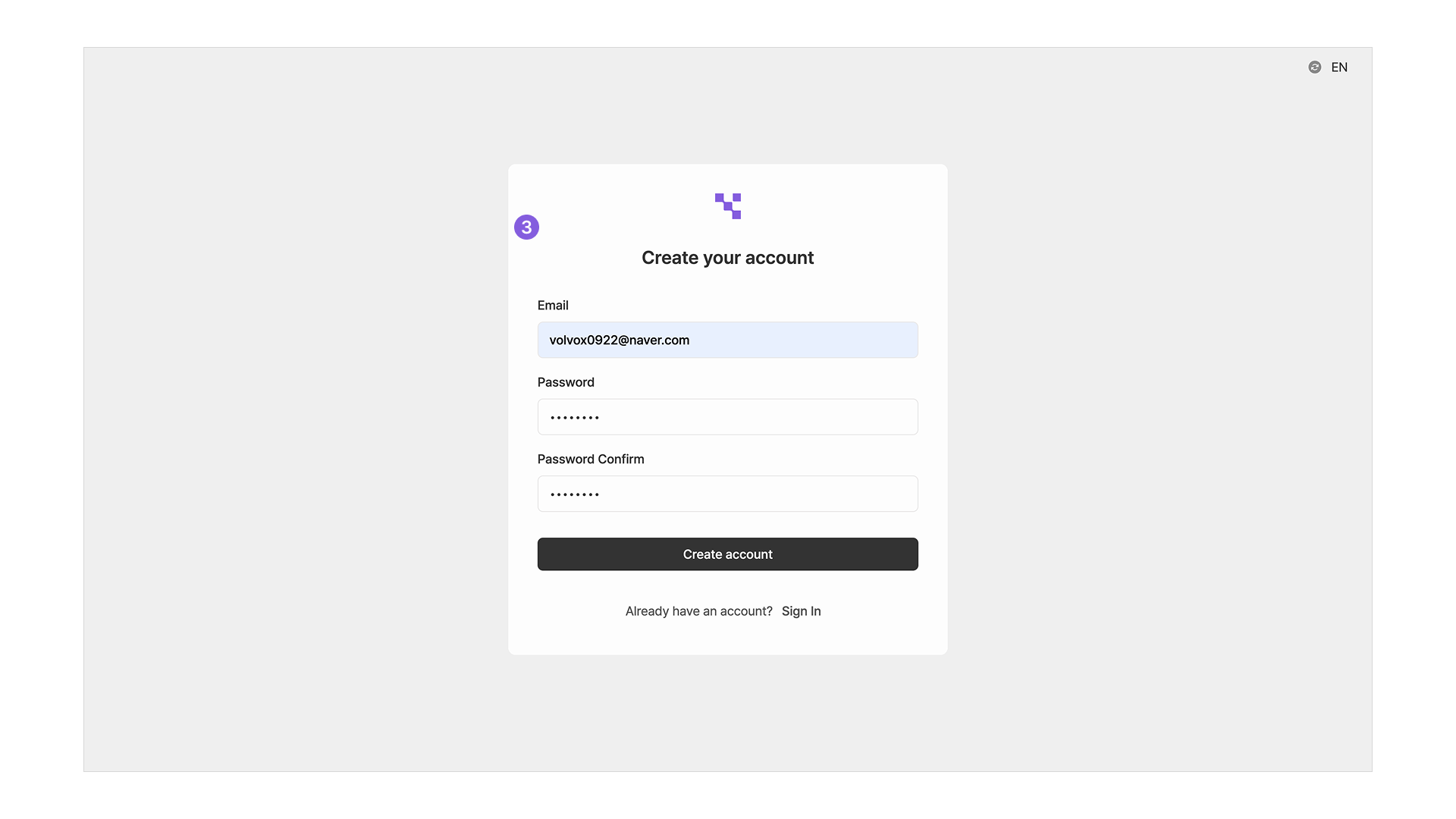
2. Or sign up with your email address.
3. Set an email and password to complete your registration.
{% endstep %}
{% step %}
#### Set up your profile
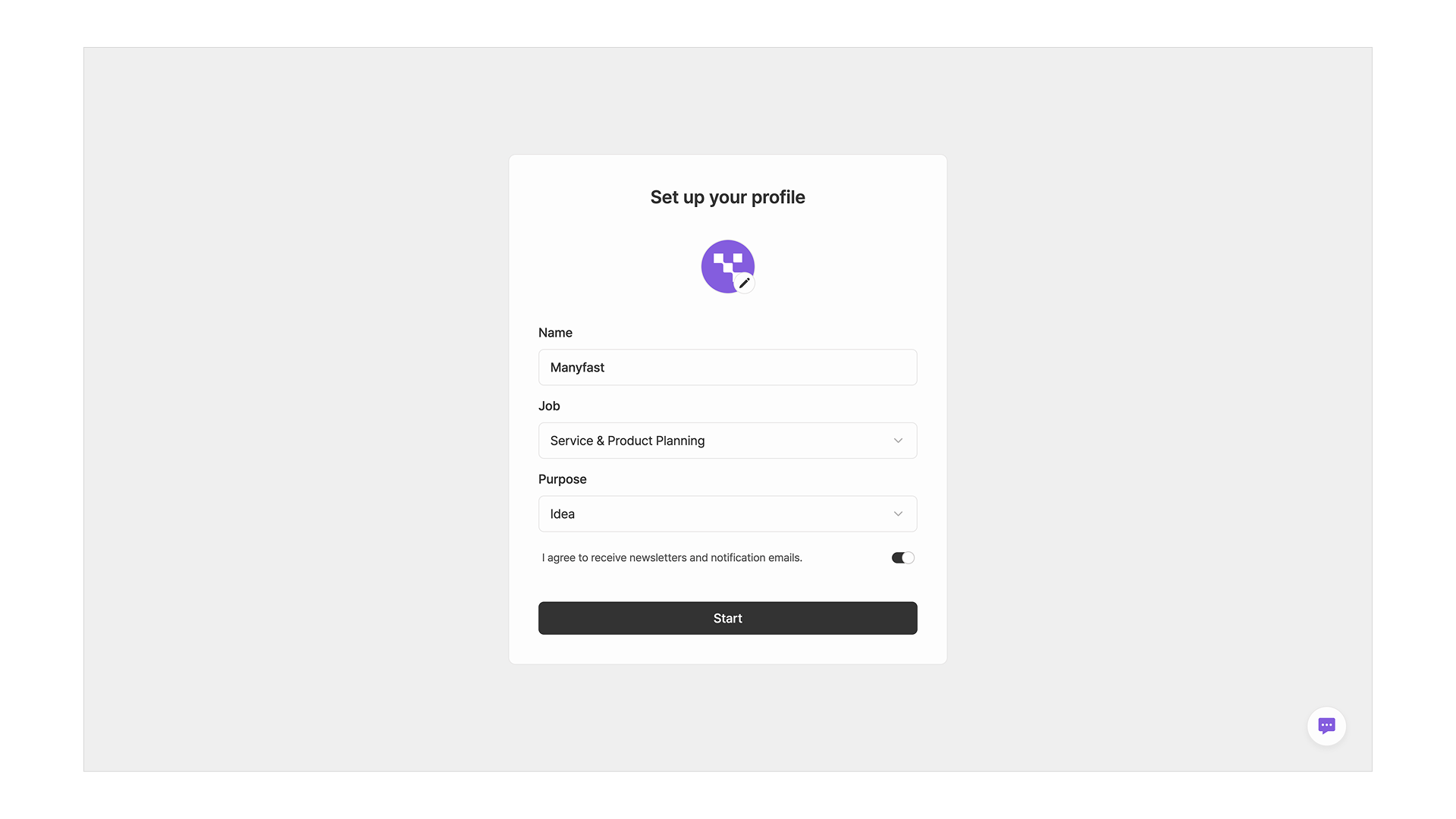
* You'll be asked to set up your profile the first time you sign in.
* Choose the profile picture and name that will be shown in the editor.
* Select your **Job** (Planner, Designer, etc.), your **Purpose** for using the service, and whether you'd like to receive emails, then click the **Start** button.
{% endstep %}
{% step %}
#### Sign-up complete
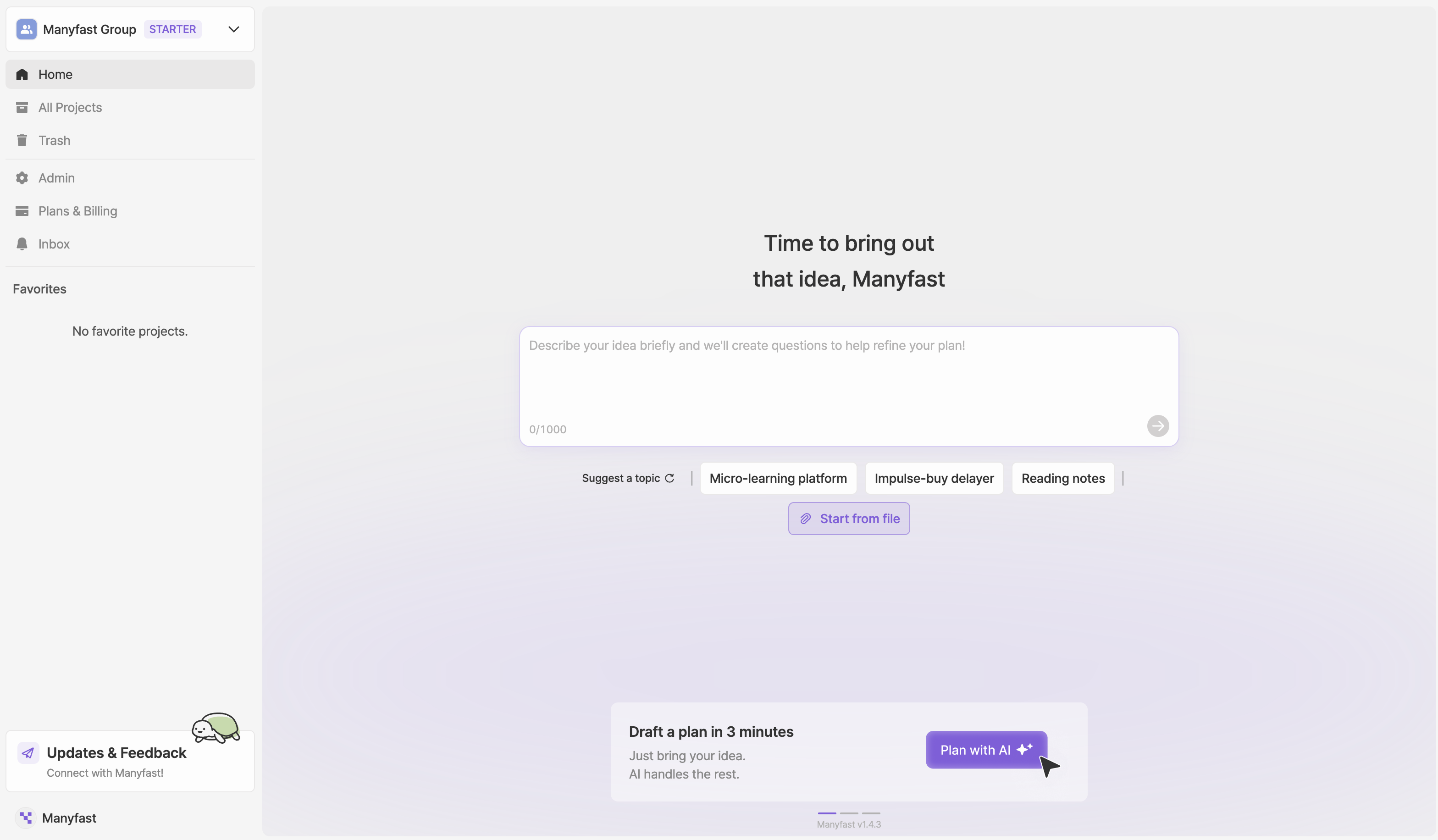
* Once you've finished setting up your profile, your sign-up is complete and you'll be taken to the Manyfast home screen.
{% endstep %}
{% endstepper %}