> For the complete documentation index, see [llms.txt](https://docs.manyfast.io/llms.txt). Markdown versions of documentation pages are available by appending `.md` to page URLs; this page is available as [Markdown](https://docs.manyfast.io/en/start/set-up-1.md).
# Profile & Theme
You can change your basic account settings, including the service theme and language.
## Profile settings
{% stepper %}
{% step %}
#### View your profile
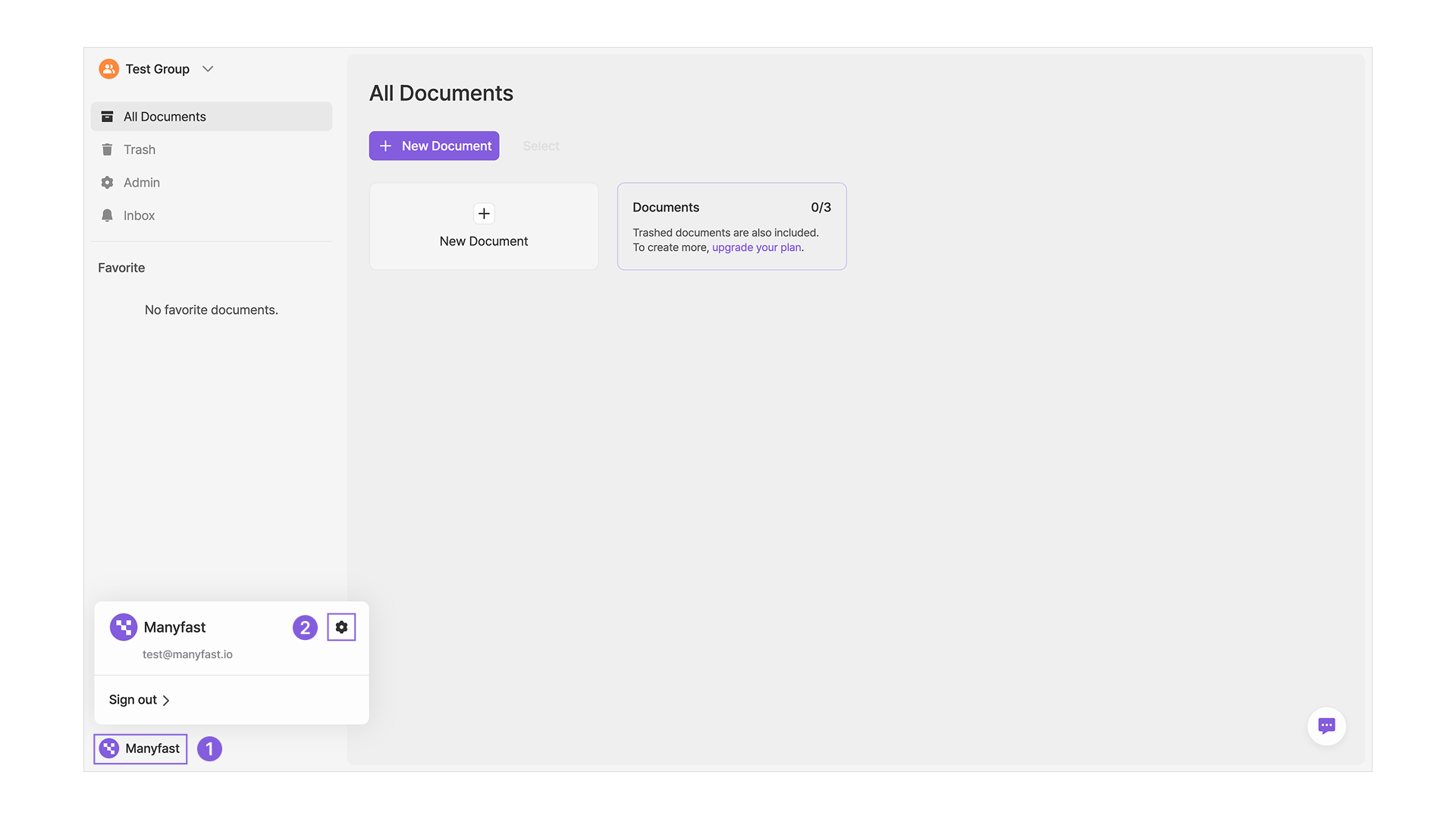
1. Click your profile image and name at the bottom of the left sidebar to see your account info (name, email).
2. Click the small gear icon next to your name to change your profile settings.
{% endstep %}
{% step %}
#### Edit your profile
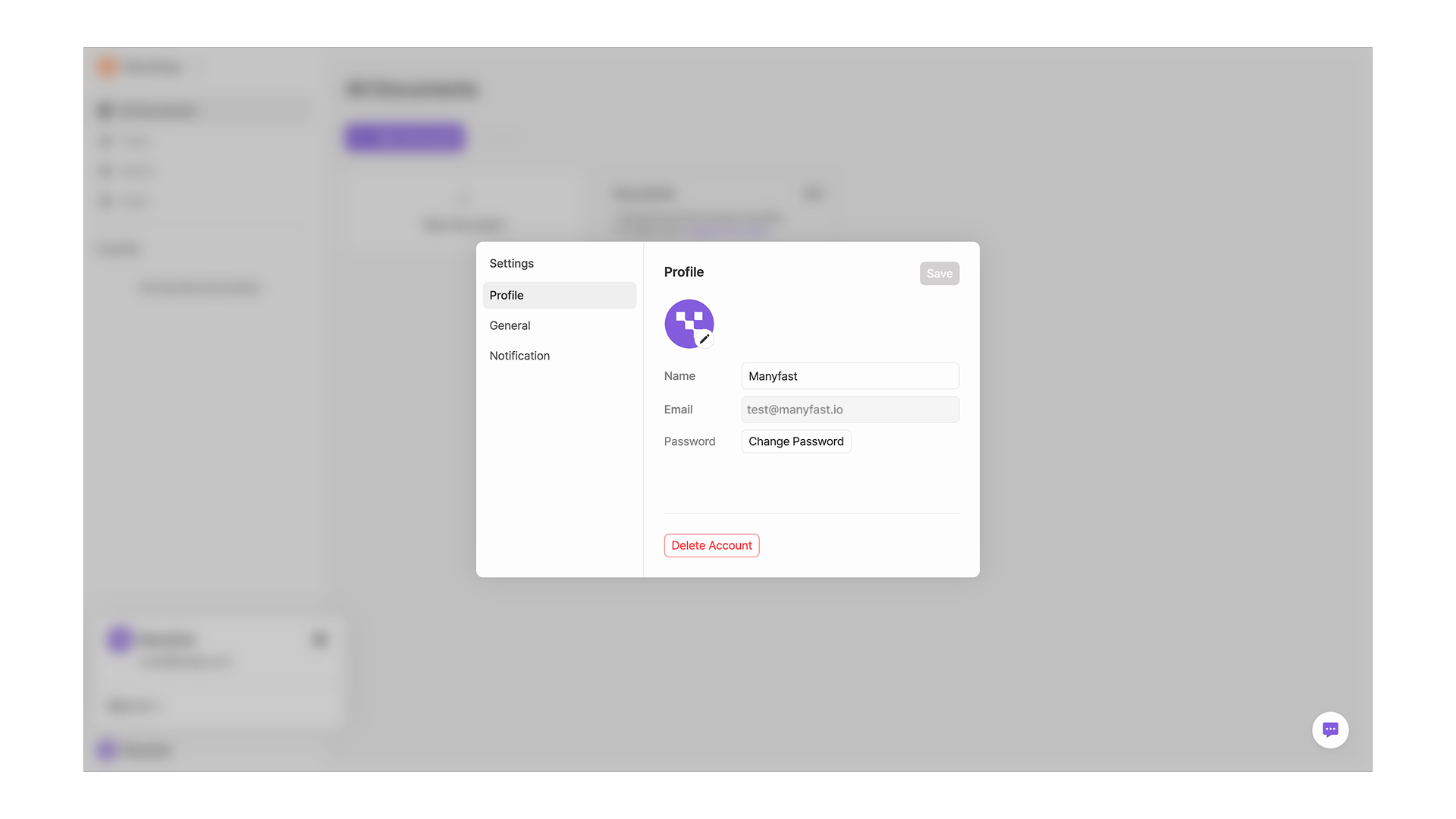
* You can change your profile image.
* You can change your name.
* You can change your password.
{% hint style="info" %}
Your email address is used as your ID and cannot be changed.
{% endhint %}
{% endstep %}
{% endstepper %}
## Theme and language
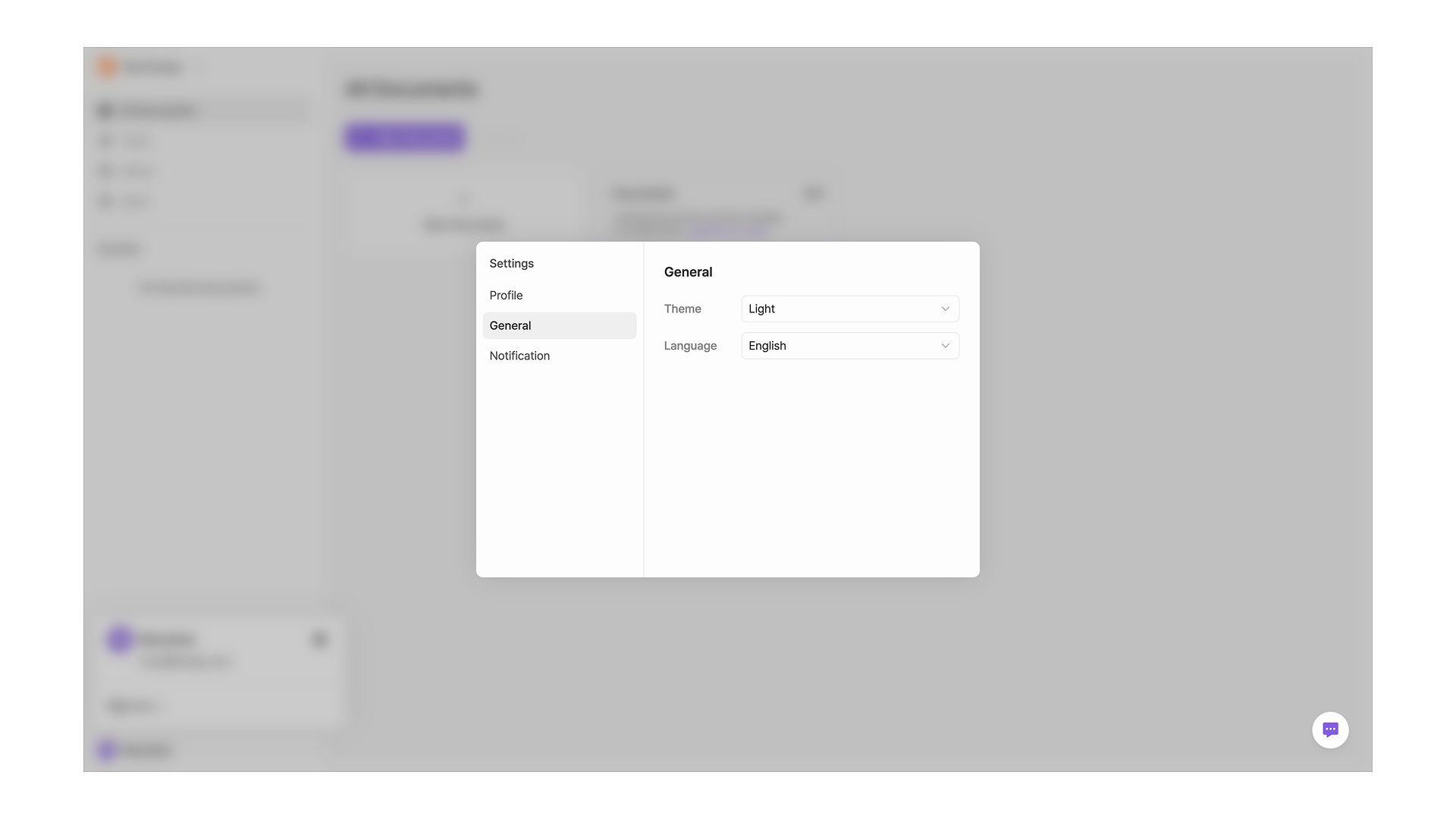
* Open "General" below your profile settings to change the language and theme.
* You can choose between Light, Dark, and System (follows your system settings automatically).
* Korean and English are supported.
## Notification settings
#### Email notifications
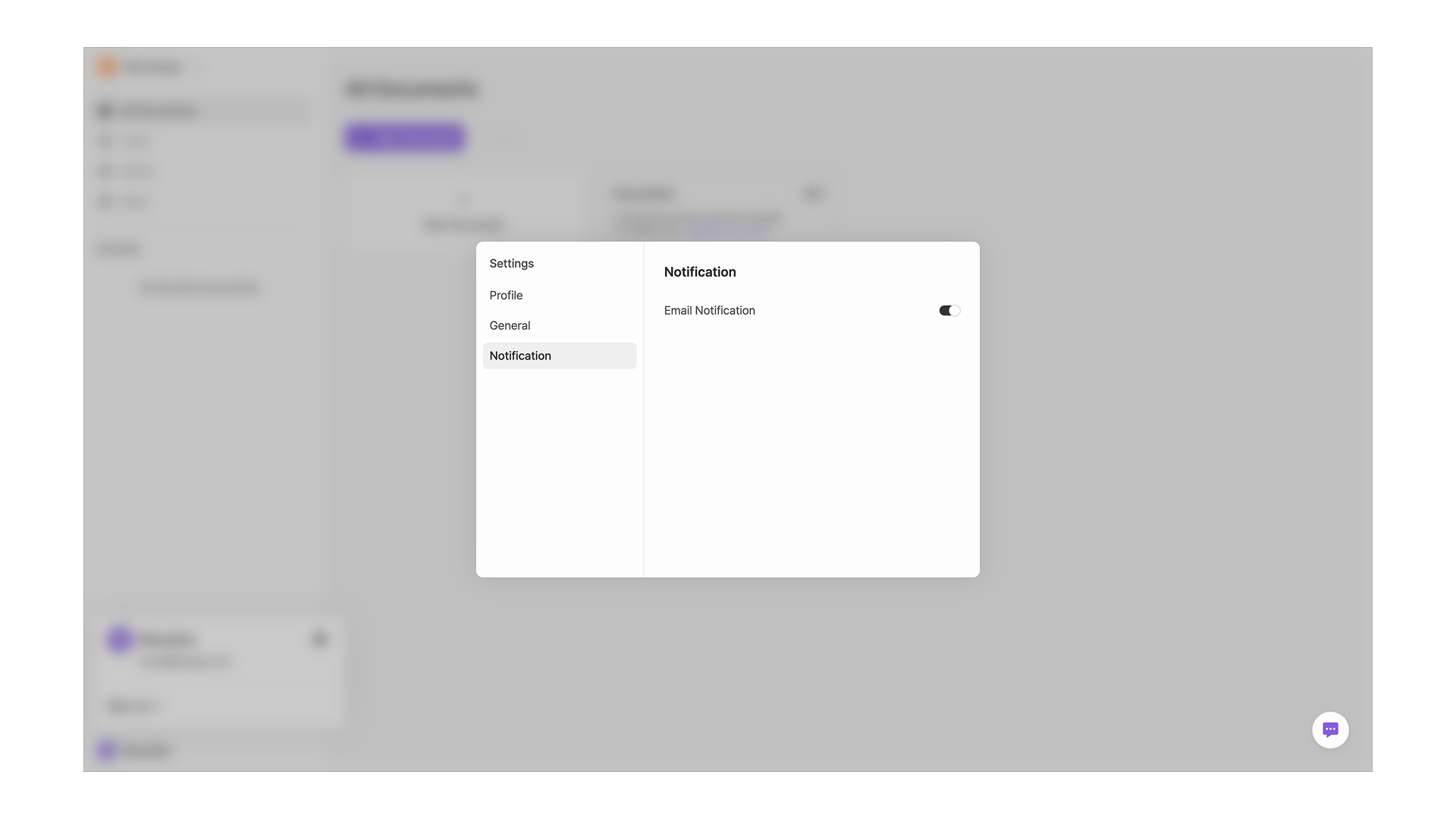
* You can choose whether to receive the newsletter and email notifications.
* Important announcements and member invitations are always sent, regardless of your email notification preferences.