> For the complete documentation index, see [llms.txt](https://docs.manyfast.io/llms.txt). Markdown versions of documentation pages are available by appending `.md` to page URLs; this page is available as [Markdown](https://docs.manyfast.io/en/plan/quick-guide.md).
# FS Writing Guide
For those who want to quickly get a feel for Manyfast, we've prepared a quick attribute guide.
We'll imagine a scenario where you're planning a shopping site in Manyfast,
and build out the Features needed for the main feature — **shopping**.
{% stepper %}
{% step %}
#### Prepare a new document
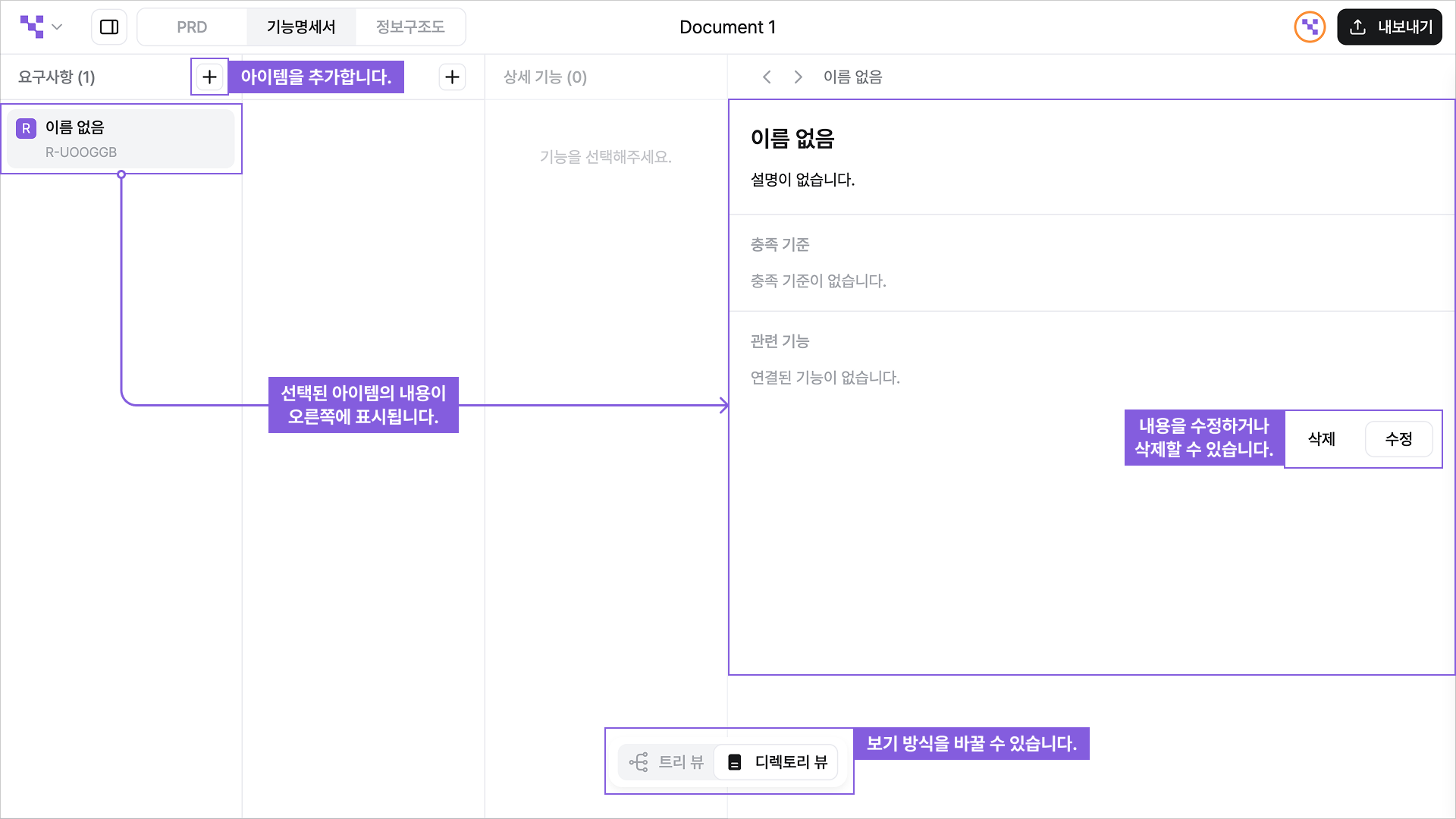
**Create a new document, then switch to Directory View.**
This guide mainly uses **Directory View**.
When you write in Directory View, you can focus on each Feature one by one, and capture them in more detail.
**📌 Tips**
* In Tree View, `Shift+click` an item to jump to Directory View.
* `Double-click` an item to **edit its name** instantly.
* Use `Drag & Drop` to reorder items or change their parent.
{% endstep %}
{% step %}
#### How to write Requirements
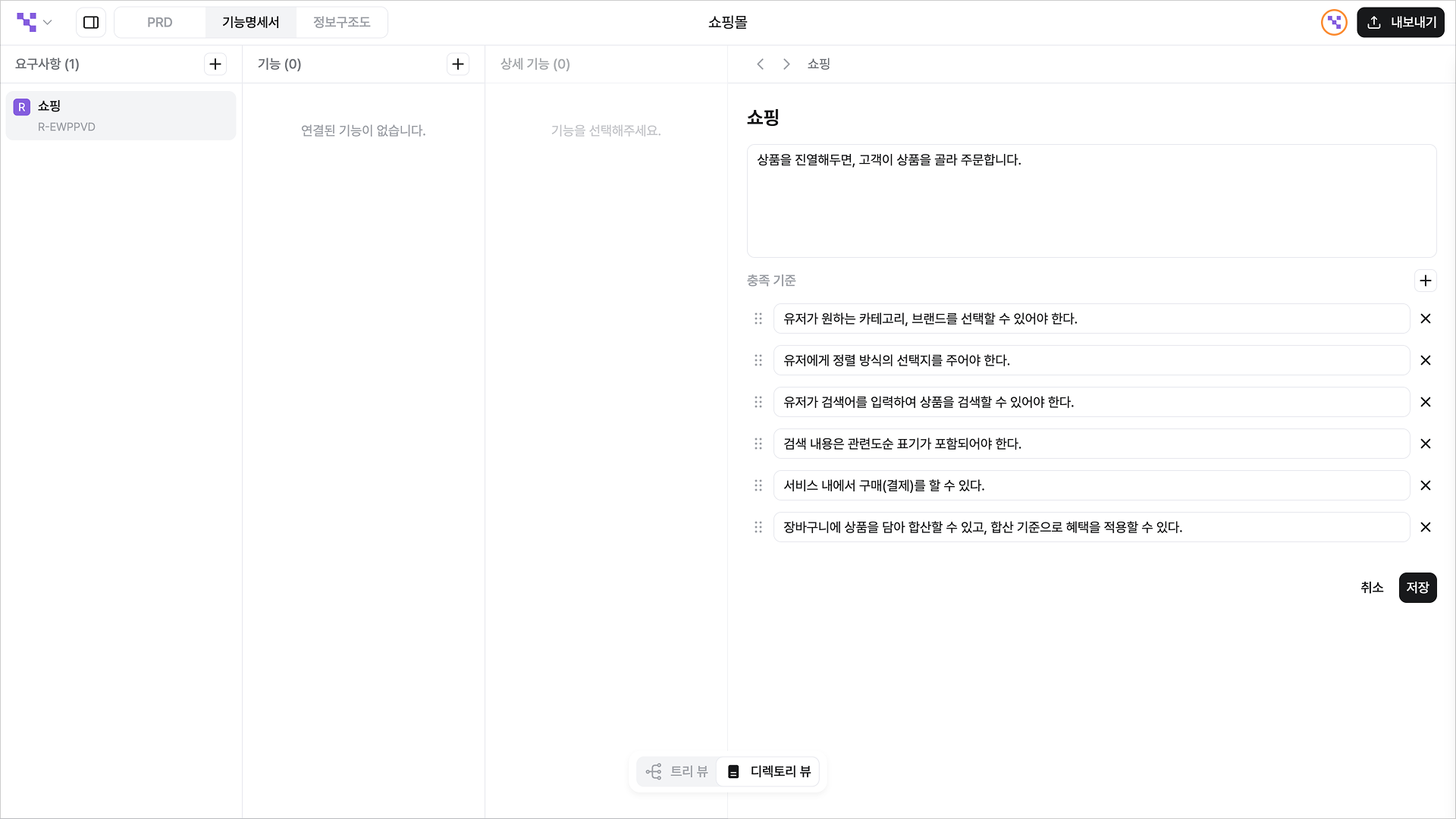
First, let's define the Requirements.
* Shopping: When products are displayed, customers can pick and order them.
Now, write the criteria of 'These are the things you should be able to do in Shopping!' under Acceptance Criteria.
* Acceptance Criteria
* Users must be able to select the categories and brands they want.
* Users must be given options for sort order.
* Users must be able to search products by entering a search term.
* Search results must include sorting by relevance.
* Users can purchase (pay) within the service.
* Products can be totaled by adding them to a cart, and benefits can be applied based on the total.
> Depending on the nature of your Project, you can write criteria from various angles, such as the `minimum feature level needed for development`, `completeness of the User Flow`, or `the level needed to realize the business model`. 💭
Why should we write Acceptance Criteria?
1. It's the process of concretizing the product's purpose and the core user flow.
2. It becomes the basis for checking the product's completeness or progress.
**✏️ Here's how it looks when you write it in Manyfast.**
{% endstep %}
{% step %}
#### How to write Features
As we concretize the Requirements, the rough shape of the Features starts to emerge.
Now let's break the Features down even more realistically.
* 'What features usually go into Shopping?'
* 'Based on this Requirement, I think we'd need this feature.'
With this kind of thought flow, list them out as they come to mind.
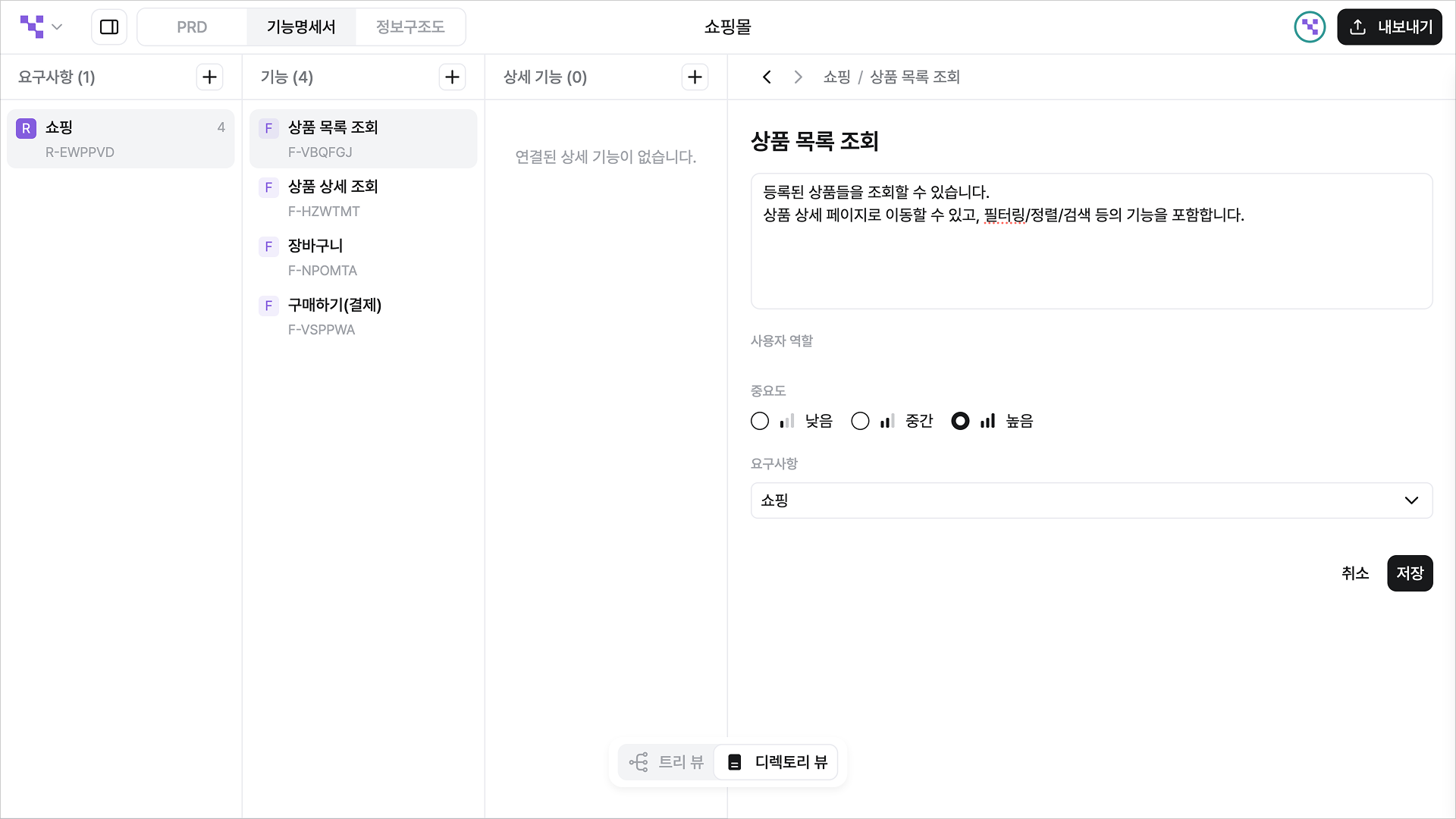
In our Requirements we mentioned category classification, sorting, and search — all of which need a product list — so we added **'Browse product list'** as a Feature.
**✏️ Here's how it looks when you write it in Manyfast.**
{% endstep %}
{% step %}
#### How to write Specifications
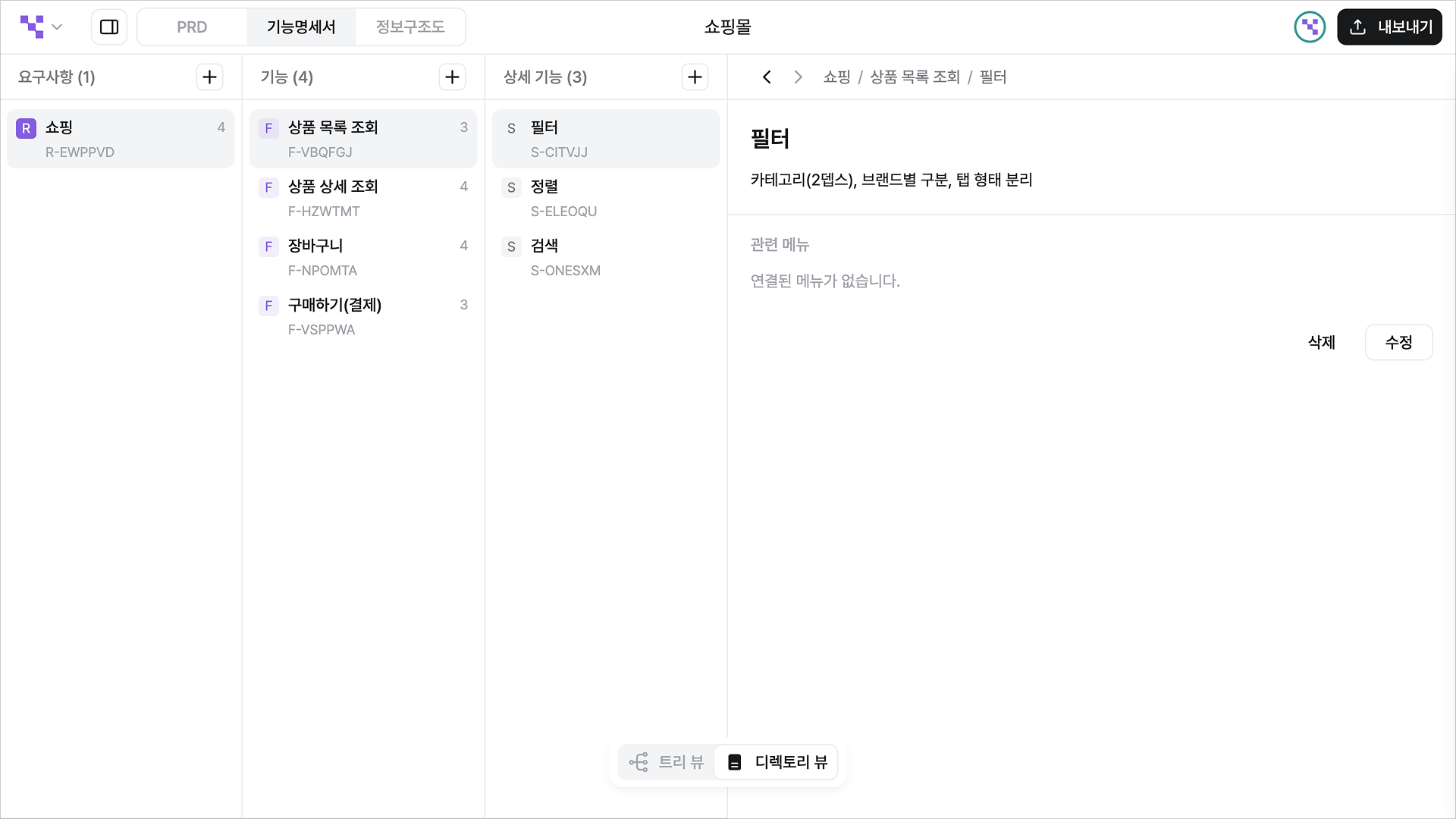
Next, let's write the Specifications for 'Browse product list'.
To make it easier to follow, we've written the Features and Specifications in a familiar table format.
| Feature | Specification | Other (policy, description, etc.) |
| ------------------- | ------------------------ | --------------------------------------------- |
| Browse product list | | Displays the product list. |
| | Filter | By category (2 depth), by brand |
| | Sort | Recommended, by price, by popularity |
| | Search | Search by product name, same filters apply |
| View product detail | | Displays the details of the selected product. |
| | Select options, quantity | Price can change per option |
| | Add to cart | Includes selected options and quantity |
| | Buy now | |
| ... | | |
How would you write the above 'Browse product list' in Manyfast?
📌 Tip: Detailed content can go in the 'Description' field — keep that in mind!
**✏️ Here's how it looks when you write it in Manyfast.**
{% endstep %}
{% step %}
#### Repeat
That covers the basic writing steps.
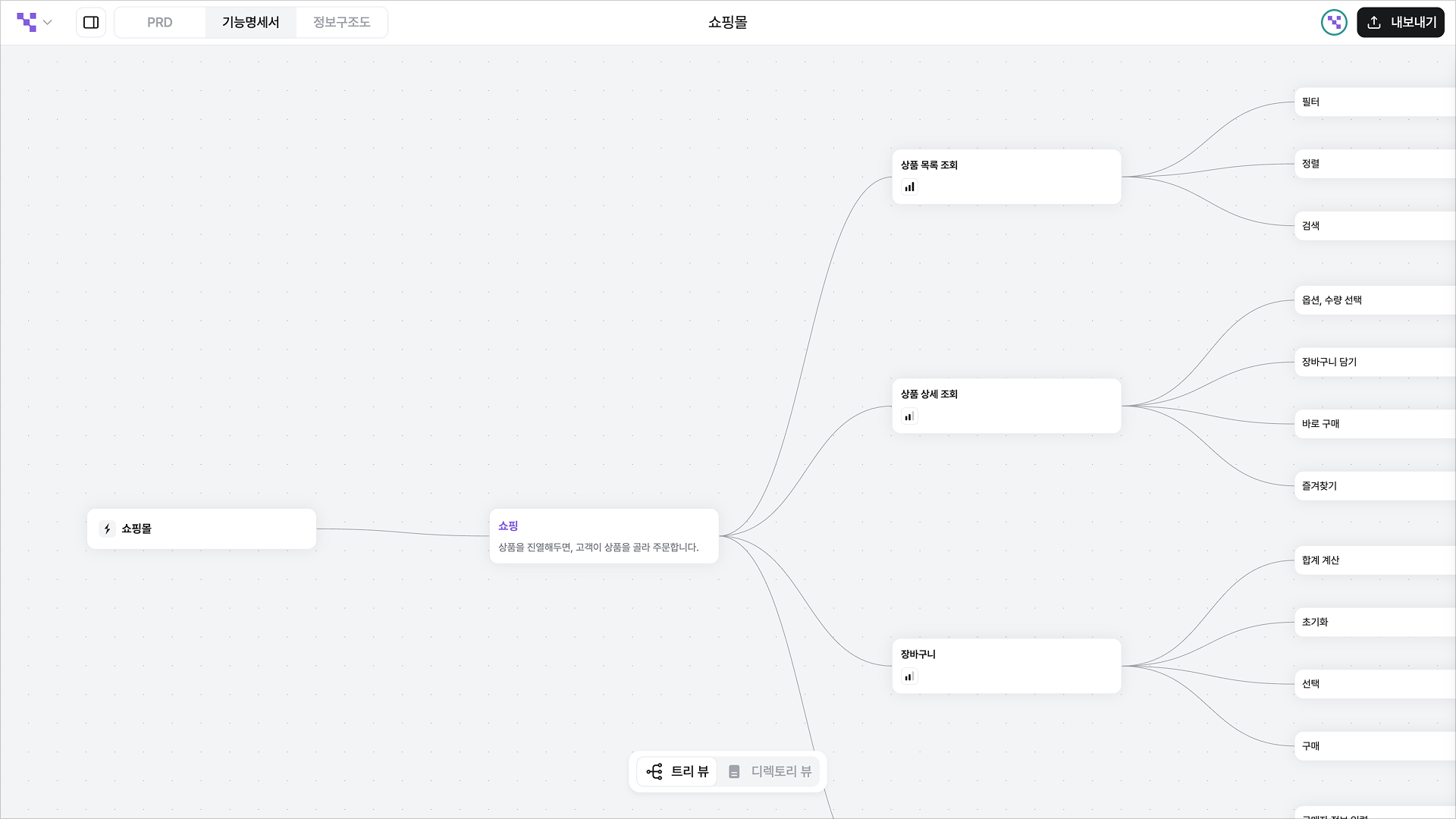
If you switch to the Tree View, what you wrote in Directory View looks like this.
Now just keep branching out the remaining parts to match the picture in your head.
**📌 No plan is perfect from the start — raise the quality through iterative revisions.**
{% endstep %}
{% endstepper %}