> For the complete documentation index, see [llms.txt](https://docs.manyfast.io/llms.txt). Markdown versions of documentation pages are available by appending `.md` to page URLs; this page is available as [Markdown](https://docs.manyfast.io/en/concept/undefined/help-ai.md).
# AI isn't working properly
This page explains common issues you may run into when using AI chat.
### I asked the AI to add Items, but I can't see the result.
You may have asked the AI Agent in chat to create Items (Requirement, Feature, Specification) and seen a "Task complete" message, only to find that the result doesn't appear.\
This happens when you ask the AI to generate the whole structure at once and it creates Items without fully working out the right connection points between them.\
\
If you can see them in the directory View, you can `Drag & Drop` each Item to the location you want, or delete them.
If you can't find them at all, you'll need to send the request again.
#### Pointing to a specific Item when you make a request gives you more accurate results.
When you select an Item, the selected Item is shown at the top of the chat input.
To avoid this kind of issue, select a specific Item before sending your request.\
The AI will reference that Item during generation and produce a more accurate result.
### I can't use the chat.
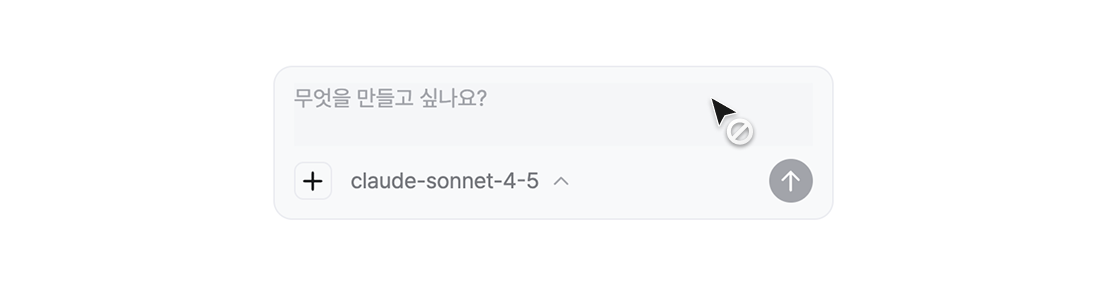
The chat is disabled when an error occurs or when you've run out of credits.
The chat appears like this when you've used up all your credits or when an error has occurred during AI operation.
When you've used up all your credits and can no longer use the chat
1. If you're on the START plan, your credits will be replenished the next day.
2. If you're on the PRO plan or above, your credits will be replenished the following month.
1. You can add credits immediately by upgrading your plan or by purchasing additional credits. (\*The option to purchase additional credits is coming in a future update.)
When you have credits but can't use the chat due to an error
1. Refresh the Editor once and try the chat again.
2. Open a new chat thread and try again.
3. If the issue persists, please reach out via our community or the contact form.